Architectural Views
Software architecture is a multi-dimensional thing. A single diagram can’t capture every aspect — it ends up cluttered, contradictory, or both. Architectural views are different perspectives onto the same system, each tuned to a specific stakeholder concern.
This lesson is a tour of the views that pay off in practice: Philippe Kruchten’s 4+1 model, quality views that overlay structural concerns, Simon Brown’s C4 model, and where enterprise frameworks fit in.
The 4+1 View Model
Kruchten’s 4+1 model is the classic answer to “how do I document this without my diagram becoming a spaghetti plate?” Four structural views, plus a unifying Scenarios view that ties them together.
Logical view — what the system does
Functional requirements and the services delivered to end users. Domain objects, key behavioural patterns, the abstractions the rest of the team will reference in standups. We’ll dig much deeper when we get to Domain-Driven Design.
Process view — the system in motion
The runtime architecture: processes, threads, services, queues, and how they talk. Where the logical view is a static picture of what the system is, the process view shows what’s happening at runtime.
Development view — the codebase
The static organization of the code. Modules, libraries, packages, build artifacts, ownership boundaries between teams.
Physical view — software meets hardware
How software maps onto infrastructure: where things actually run, how they’re networked, how resources are allocated.
Scenarios — the +1
Use-case walkthroughs that exercise all four structural views together. The consistency check — that logical, process, development, and physical describe the same system, not four different ones.
Level, notation, and audience
The process view is also called the Components and Connectors (C&C) view, and it is drawn coarser than the logical view. One element often stands for several deployable units and infrastructure pieces. It is the diagram system integrators use. Fault tolerance is specified here along with the runtime behavior, and the connector is usually one of three shapes: client-server, publish-subscribe, or a pipeline.
The development view is more concrete than a traditional module view. A module view is an abstract functional decomposition. The development view is the layout the build actually uses, including development tools, so a team can manage build dependencies and enforce architectural constraints at module boundaries.
The physical view records hardware specifications. Those specs are the input to performance optimization and to infrastructure management.
The logical view is drawn with object diagrams as well as class diagrams and state machines. Its subject is the abstraction hierarchy that supports the business logic.
Documenting Behavior
Static structure is only half the picture. These diagrams show how the system moves.
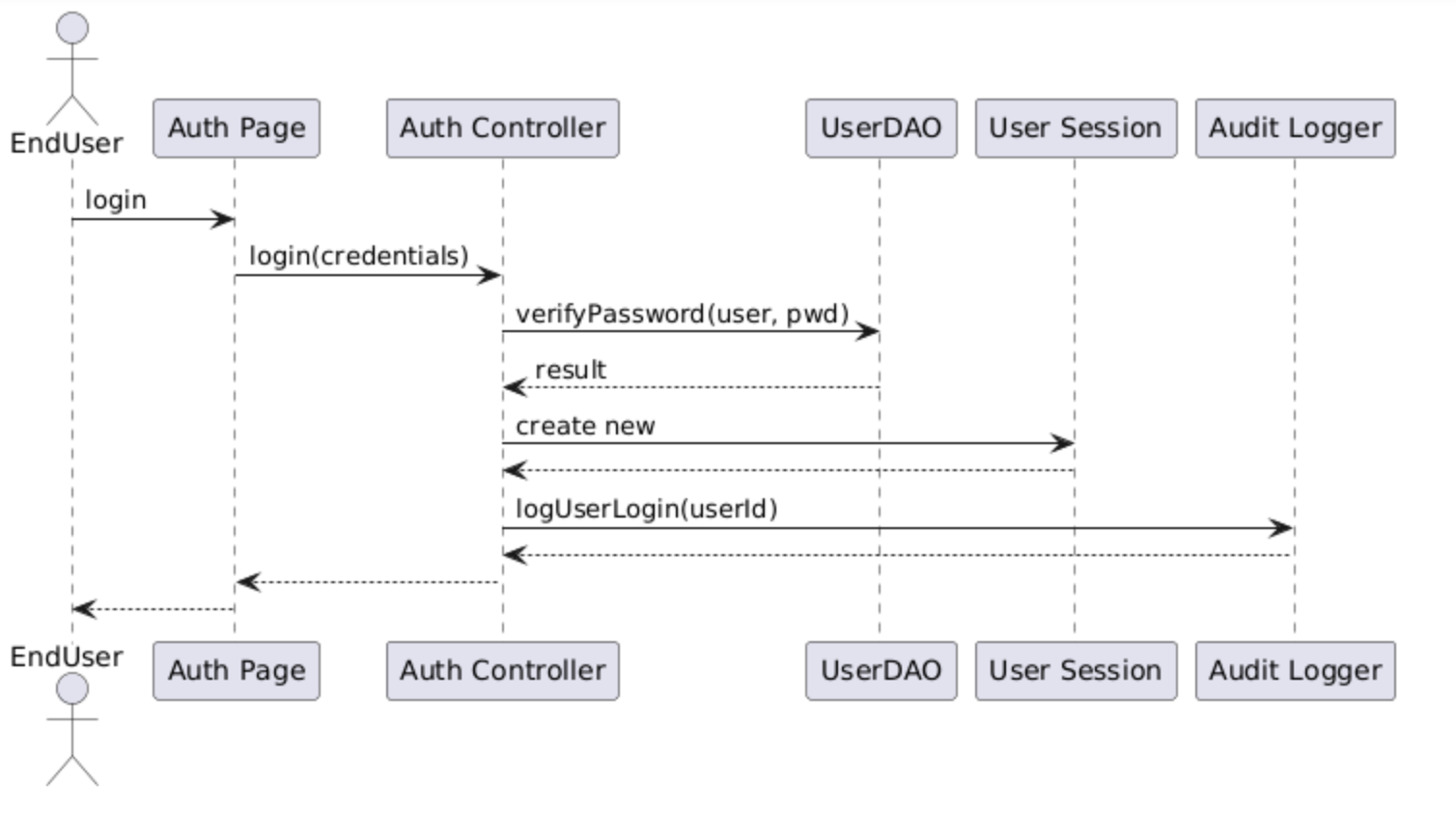
Sequence diagrams
Who calls whom, and in what order. Use them for an API flow or an incident timeline.
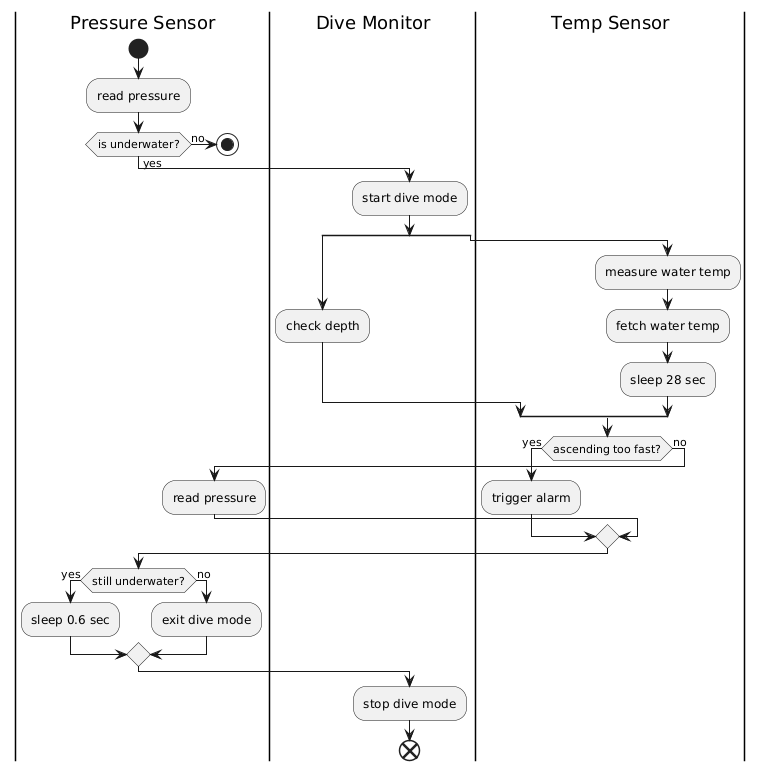
Activity diagrams
Workflows, decisions, and parallel paths. Useful for a business process or a multi-actor journey.
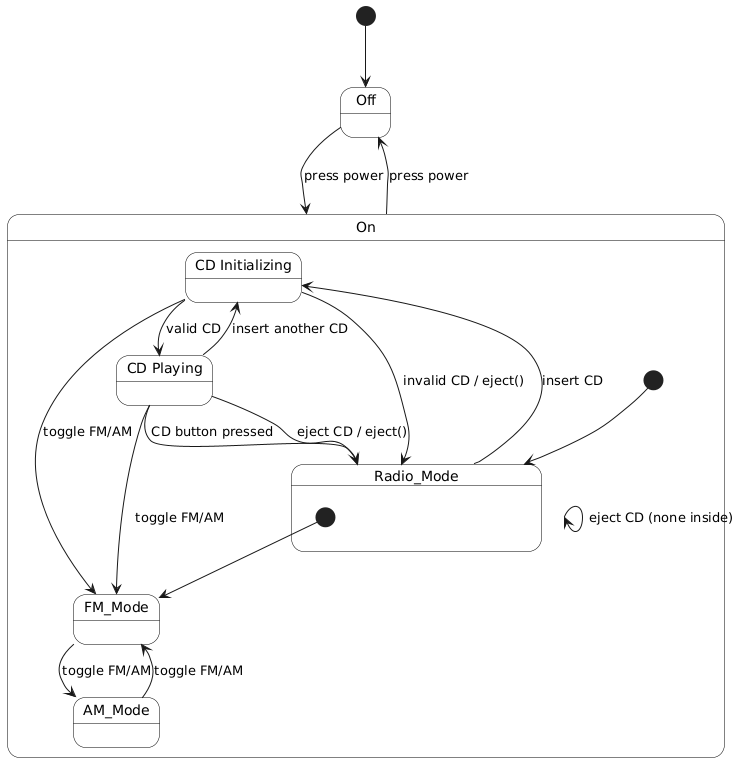
State machines
Valid states and the events that move between them. Use one anywhere an illegal transition would be a bug.
Quality Views
The four structural views describe the what and the where. Quality views describe the how well — non-functional behavior cutting across structural views.
Security view in detail
| Concern | What you draw |
|---|---|
| Perimeter | Firewalls, WAF |
| Transport | SSL/TLS termination, mTLS between services |
| Identity | OAuth/OIDC providers, JWT validation, session stores |
| Secrets | Vault, KMS, key rotation paths |
| Data at rest | Encrypted storage, per-tenant key isolation |
Combining Views
Views can overlay productively. Combined views highlight strong, frequently-cited associations between two views — show the process view, then overlay security boundaries from the security view.
The C4 Model
Simon Brown’s C4 isn’t an “architectural view” in the 4+1 sense — it’s a visualization method. But it’s how modern teams typically document architecture, so it earns a section.
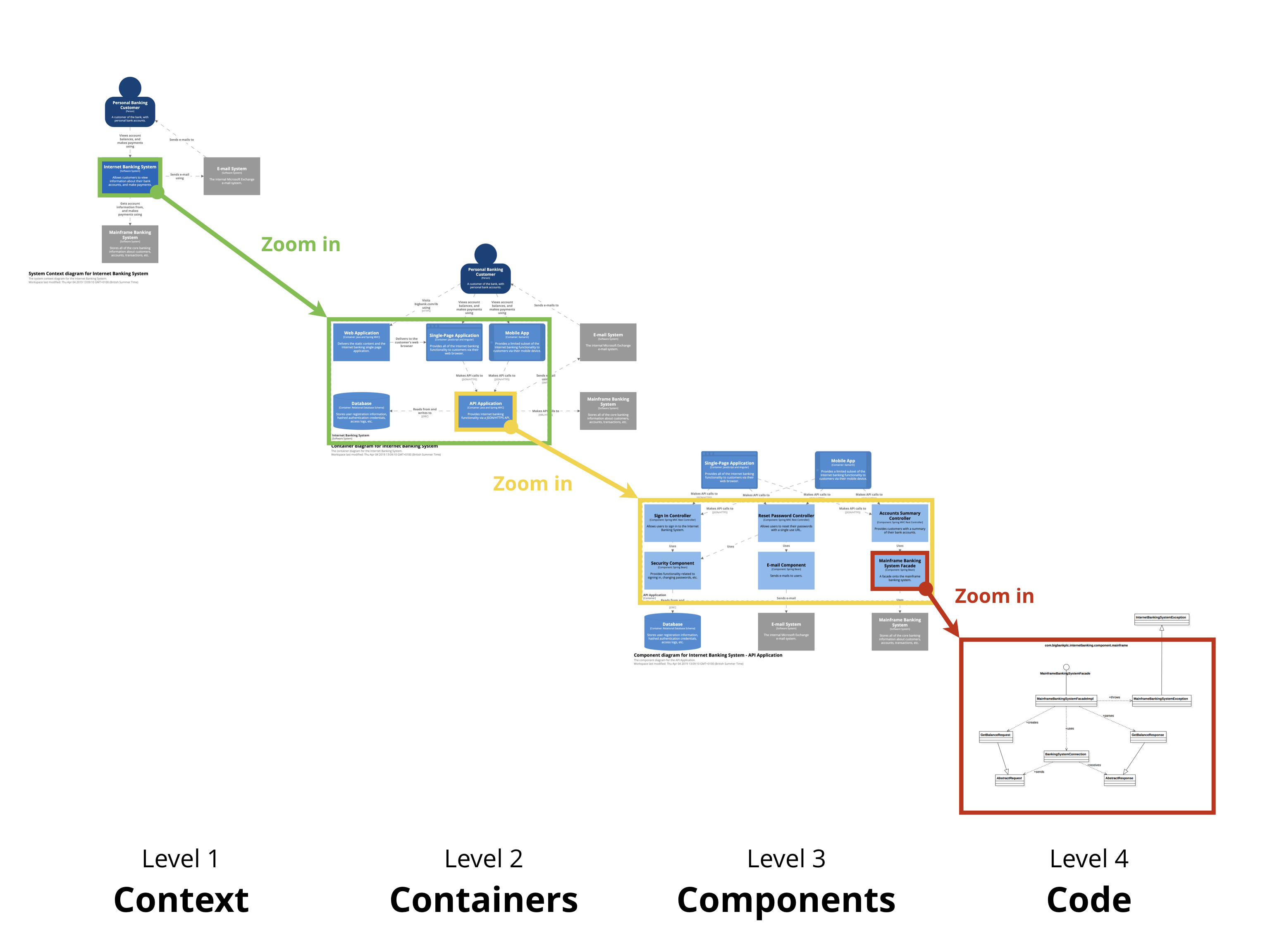
C4 gives you four levels of zoom — progressively more detailed.
Enterprise Architecture Frameworks
For organizations needing a catalog of standardized views:
These frameworks are heavyweight. They earn their keep in regulated enterprises with hundreds of systems. For a single SaaS product team, 4+1 plus C4 is usually more than enough.
Three Habits That Make Views Useful
Recap
- One diagram can’t show everything. Use multiple views, each for a specific concern.
- 4+1 model — Logical, Process, Development, Physical, plus Scenarios — covers structural concerns.
- Quality views (security, performance) overlay non-functional concerns.
- C4 is the modern visualization method: Context → Containers → Components → Code.
- Enterprise frameworks (ArchiMate, TOGAF) are heavy but useful at scale.
- Every view should help one stakeholder make one decision faster. If it doesn’t, delete it.